
At the top of the Content tab, you will see two subtabs enabling you to toggle between Detailed View and Outline View.
 |
Detailed View is the default, but as the survey grows jumping over to Outline View can help you understand the overall structure.
Here's an example of Outline View:
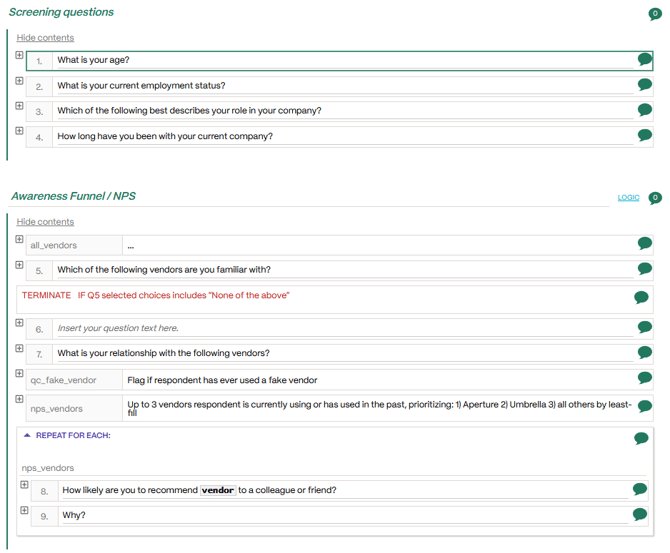 |
From Outline view you can:
- Reposition questions by clicking and dragging.
- Edit question texts.
- Add questions using the keyboard shortcut CRTL + M.
- Expand individual questions by clicking the + symbol.
- Set logic on Sections and Blocks.
- Leave comments on questions, jumps, loops, and blocks.