
1) From the Home Dashboard, click the yellow "Create Survey" button.
2) Fill out the new survey form:
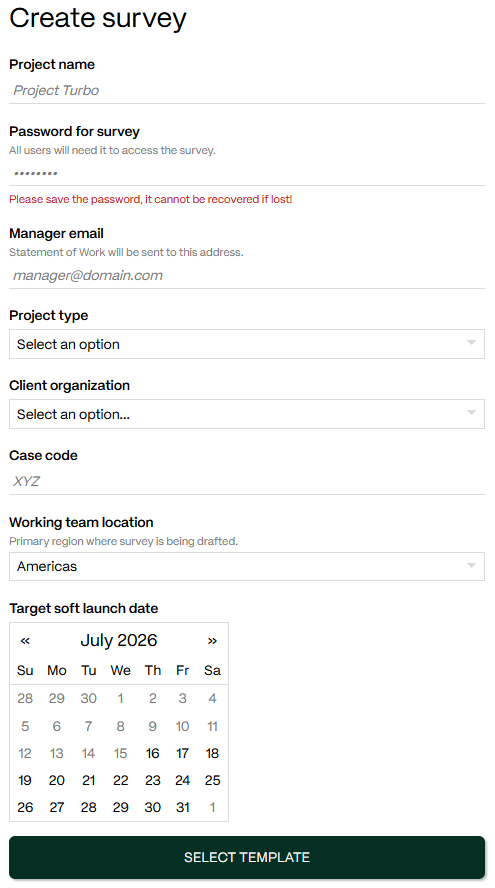 |
Please be careful when entering the password and take note of it somewhere. The survey password will need to be shared with the IncQuery team as well as your teammates to access the survey.
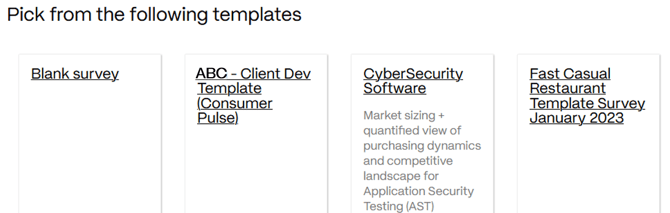
3) If your company has created templates with IncQuery, you will be given a choice between using a template or starting from a Blank survey.
 |
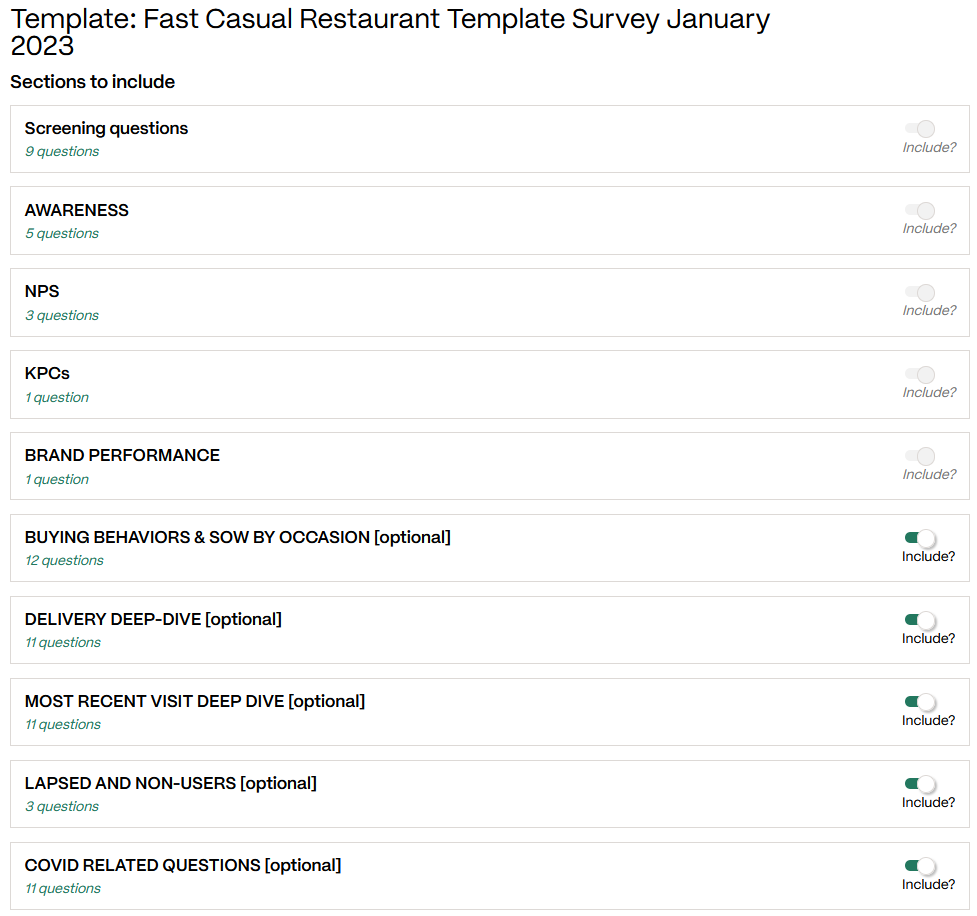
4) If using a template menu, choose the sections to include.
 |